RetroHub games
Top 5!
Five in a row scores a point. And play goes on.
 Place your crosses on the crossings of the grid, taking turns.
 Five pieces in a row make a line, and a line is worth a point.
- Play goes on until nobody can line up five pieces any more. Most points wins.
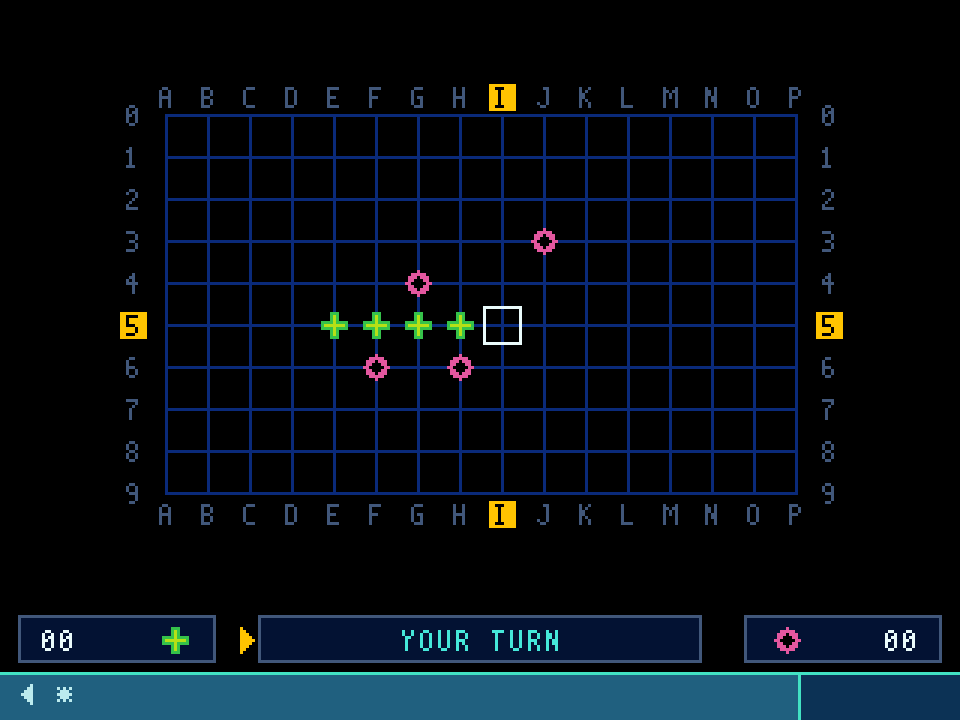
What is on the screen
The green cross
Your piece. Its score is on the left of the strip at the bottom of the screen.
The pink ring
Teach's piece, or your opponent's in a two-player game. Its score is on the right.
The grid
Sixteen columns, A to P, and ten rows, 0 to 9. Pieces go on the crossings, not in the squares. The letter and number of the crossing you are aiming at light up on the edges.
The strip
Both scores, and in the middle whose turn it is. A yellow arrow points at whoever is playing.
At launch: against whom?
The game first asks who you are playing against:
- Teach, at one of three strengths: rookie, steady or expert. The rookie makes the odd mistake, on purpose.
- Two players, on the same device: pass the controller, or the phone.
Press the line's number, or tap it. With the arrows, ▲ ▼ move to the line and OK chooses it. You always play the crosses, and you go first.
During a game, the menu key opens a panel: resume the game, start it over, or come back to this choice to change opponents, without leaving the game.

Scoring
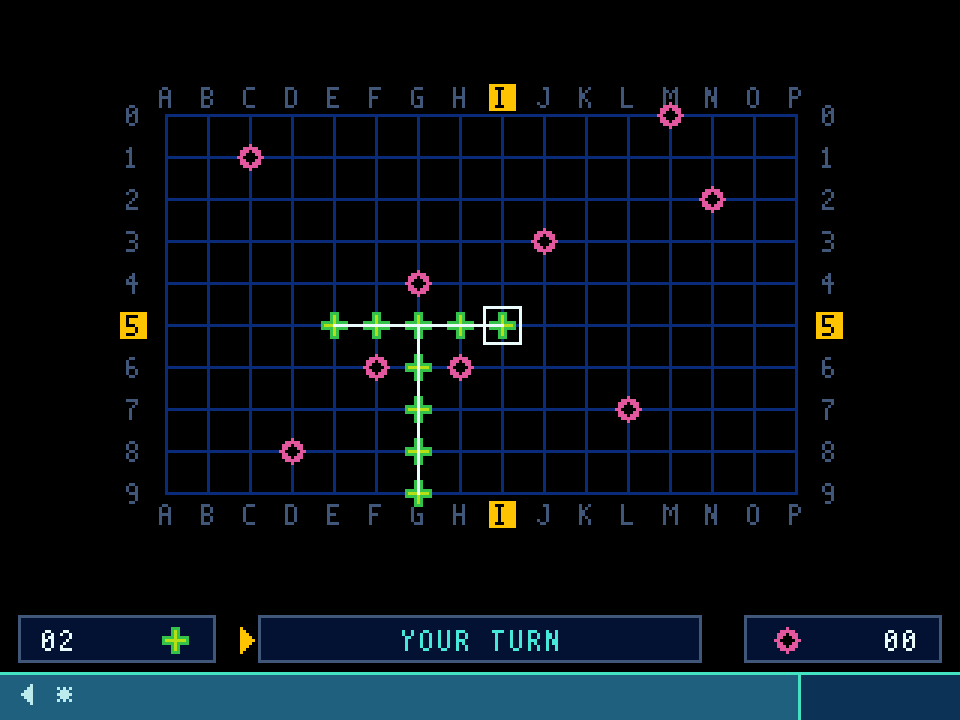
Five pieces of the same side in a row, across, down or diagonally, make a line. The line is drawn in white, it stays on the screen, and its side scores a point. Then it is the other side's turn, as after any move.
One piece can serve two lines if they run in two different directions: a cross where a row meets a column counts for both.
But not twice in the same direction. A sixth cross at the end of a line already scored earns nothing: a new line only counts if none of its five pieces already belongs to a line in the same direction.
The end of the game
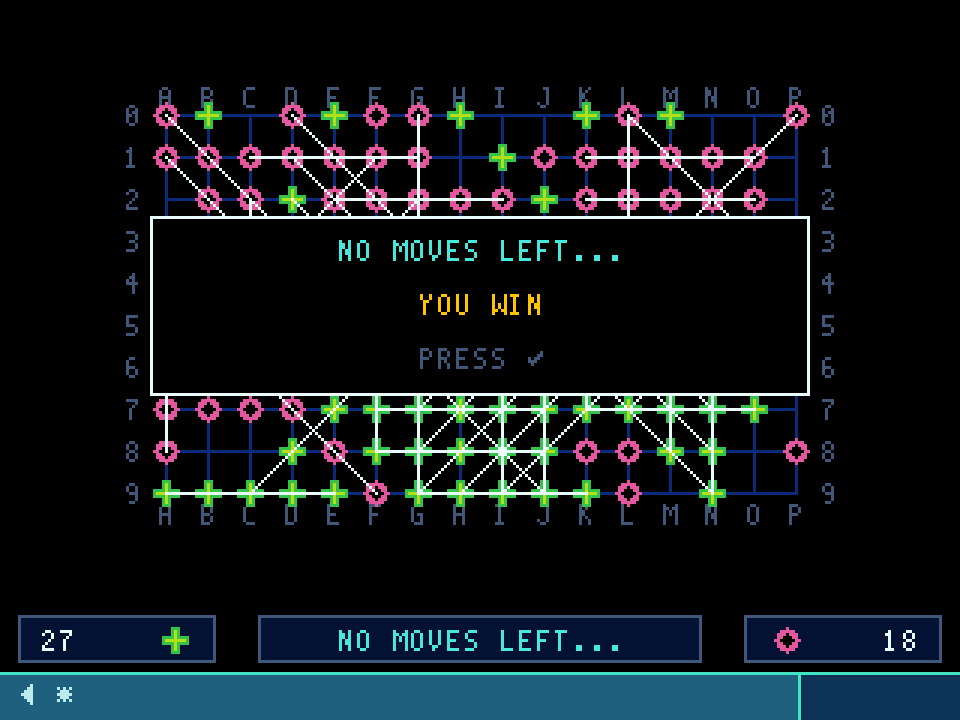
The game does not stop at the first line. It goes on until no line is possible any more, for either side: every run of five crossings is blocked by an opposing piece, or would score nothing. The game then shows “No moves left…”, often well before the grid is full.
The total wins. On equal points, the game is a draw.
So you have to build your own lines and block the other side's: a ring well placed among four crosses is often worth more than a line.
Controls
Phone and tablet
| tap a crossing | place your piece there |
| tap a line | choose your opponent |
| tap the end panel | back to the choice |
| F1 below the keypad | the menu |
| ◀ bottom left | leave the game |
Computer
| ← ↑ → ↓ | aim at a crossing |
| 1 3 7 9 | aim diagonally |
| Space Enter 5 | place your piece |
| F1 | the menu: start over, or change opponents |
| Esc * | leave the game |
Crossings can also be clicked with the mouse. The numeric keypad does it all: 2, 4, 6 and 8 aim like the arrows.
Television
| the arrows | aim at a crossing |
| 1 3 7 9 | aim diagonally |
| OK | place your piece |
| ▲ ▼ then OK, at the start | choose your opponent |
| ▶❙❙ play | the menu: start over, or change opponents |
| Back | leave the game |
When the game is over, ✓ takes you back to the choice of opponent for a new game.